Documentarchive,onyourcomputer.
Drop in a PDF; Docs reads the letter, extracts its record, and files it under a standard name in the right folder. I built it with a method that a person and AI agents developed together.
One or many PDFs
Read locally
- EPDK
- E-12345
- 12.03.2026
- Outgoing
- Not sure: asks
Docs in numbers.
- 78,000+
- 87,000+
- 2,400+
- 4,262
- %100
Python and interface (HTML, CSS, JavaScript)
More than the product code
Run on every change
16 main authorities, 4,246 sub-authorities (ministries, municipalities, governorates, regional directorates…)
Data never leaves your computer
A project's correspondence runs to dozens of documents, and every one matters.
In energy projects, permitting runs through dozens of authorities, both central and regional. A single project generates roughly 500 documents, sent and received. Document archives are usually kept loosely: a standard naming format is never fixed or applied, no orderly archive structure emerges, and the attachments of documents in particular are often skipped. Over a permitting process that lasts years, this multiplies the time spent finding information and documents that turn out to be needed much later. Energy projects are developed in the public domain through public processes, so the risk of litigation is very high, and an orderly archive is one of the project owner's strongest weapons. Beyond that, when presenting an energy project to a potential buyer, or when evaluating a project in a potential investment, the story of the project is best read from its document archive.
The problem in 4 parts
- 01
Disorder.
The same letter sits in email, in downloads, on the desktop and in a folder, under different names. It is hard to tell from a file name which authority it was written to, on which date, under which number.
- 02
Time.
Filing one letter means: read it, extract its record, name it, categorise it, enter it in Excel. Minutes for each letter; hundreds of letters in a project.
- 03
Trust.
When an authority writes "in reply to your letter of such date and number", that letter must be findable at once.
- 04
Tools that do not know documents.
Expensive archive systems exist, but they are general-purpose, not built for this: they are not specific to permitting in the energy sector and they do not understand the document. Being essentially document-storage programs, they do not extract the record (authority, number, date, direction) themselves, so they cannot prevent human error.
What Docs does: it reads the letter, extracts the record, asks where it is unsure, files the document under a standard name in the right folder, and enters it in the project register.
- yazi_son(2).pdf
- scan0042.pdf
- New folder
- downloads
- reply_last_FINAL.pdf
- yazi (3).pdf
- copy.pdf
- email attachment.pdf
Sample WPP
- 01All Correspondence
- 02EPDK
- 03EIA
- 04LandForestryExpropriation
- 05Energy Transmission Line
- 06Mining
- 07Military Permits
- 08Civil Aviation
- 09Technical Interaction Analysis
- 10Zoning
The folder template can be changed per project.
How does it work?
- 01
Drag & drop or upload
One or many PDFs are dropped into the program.
- 02
Read
Authority, number, date, subject, direction (incoming/outgoing) and attachments are extracted from the letter. Reading runs locally. A document record is created.
- 03
Ask
Every uncertain value is flagged with a confidence word and asked about on the confirmation screen. The program does not hallucinate and does not invent.
- 04
File
The document is placed, under a standard name, in the right folder of the project's category tree.
- 05
Find
The document register, the Search screen and the master Excel list are all fed from the same record.
What does it do well?
Screenshots are from an anonymous demo project (Örnek RES) and show the Turkish interface; they contain no real project or authority data.
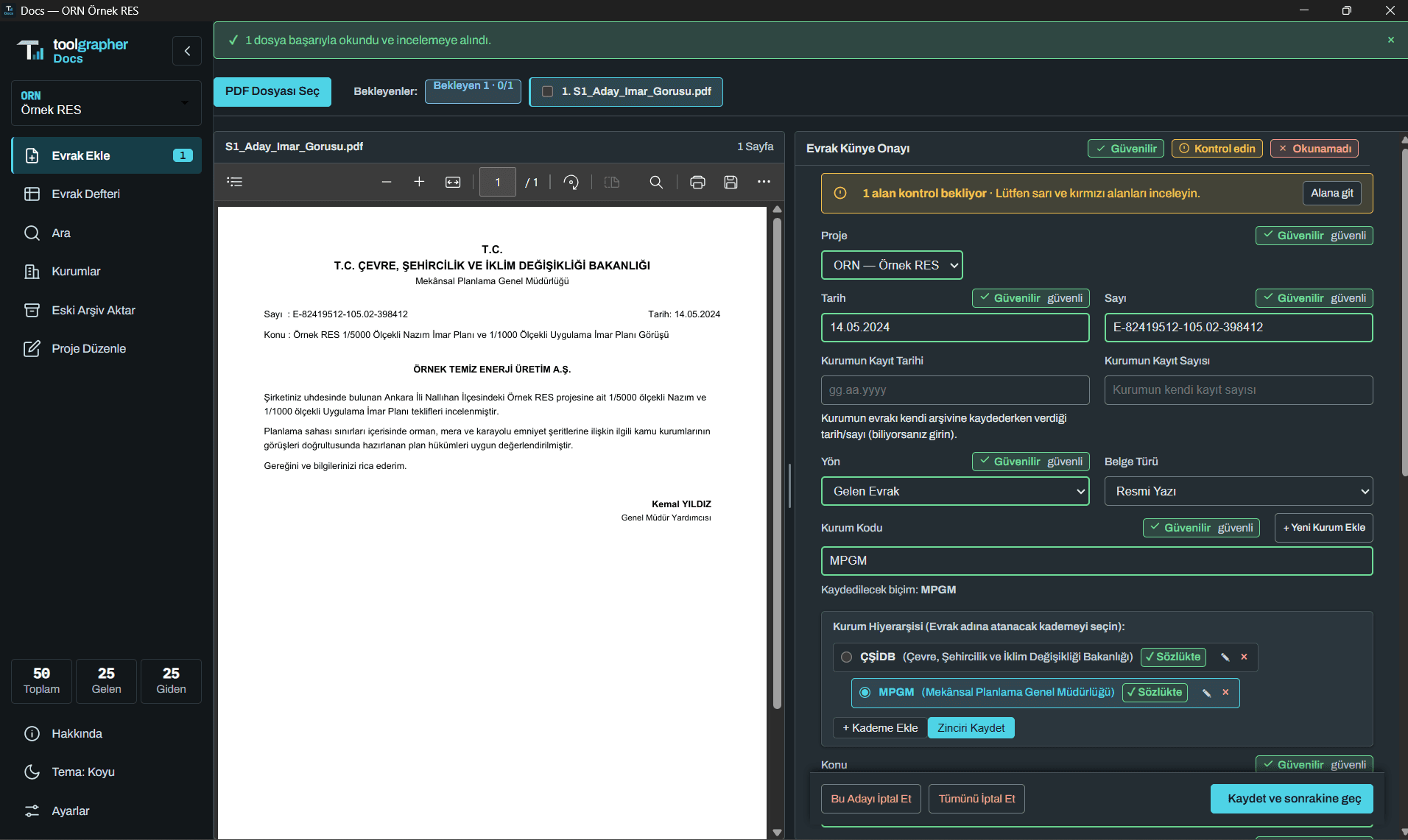
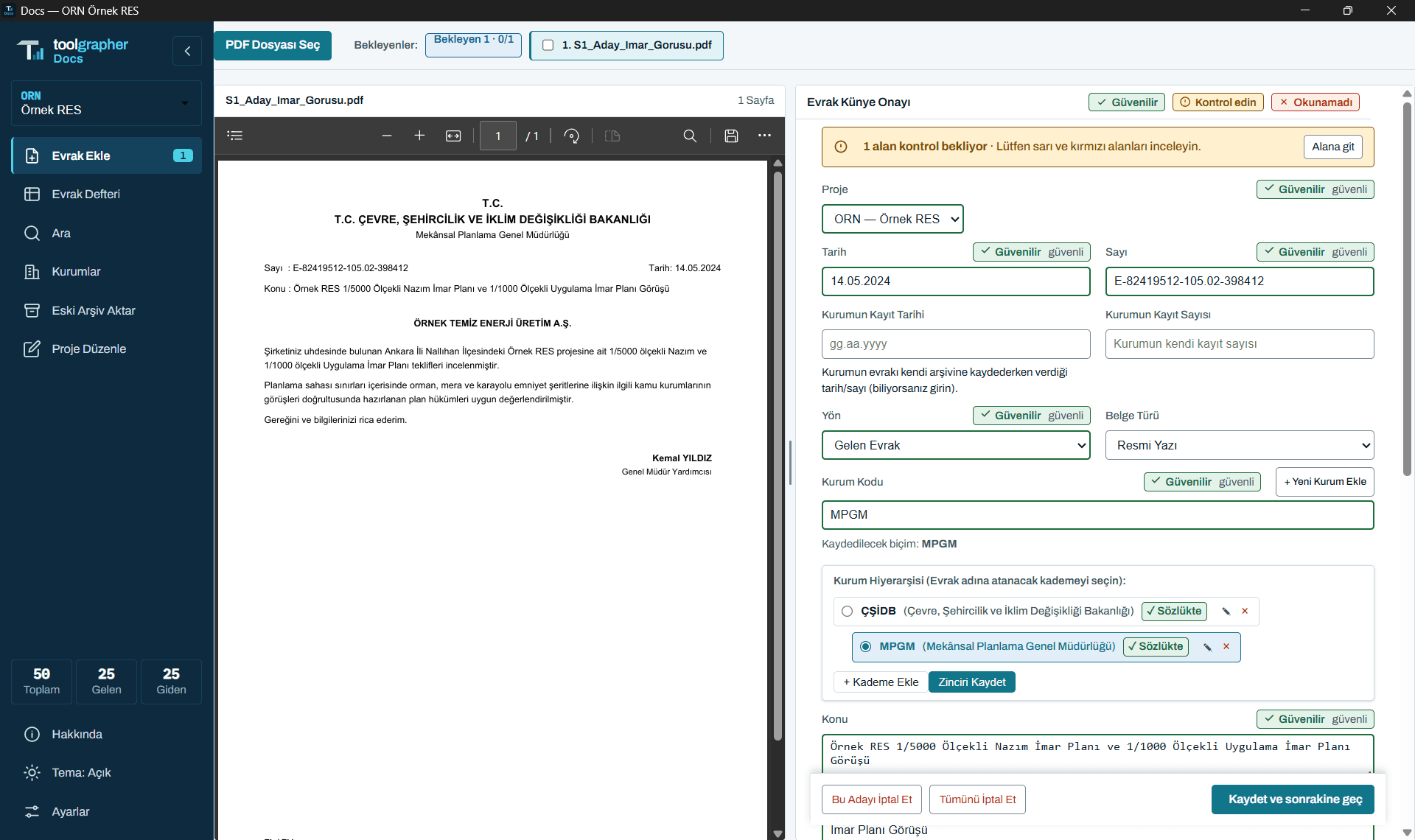
Doesn't invent, asks
The confidence of every field is visible. A value that is not certain is left blank or put up for confirmation. Yellow and red fields wait for your check.
Standard name, standard folder
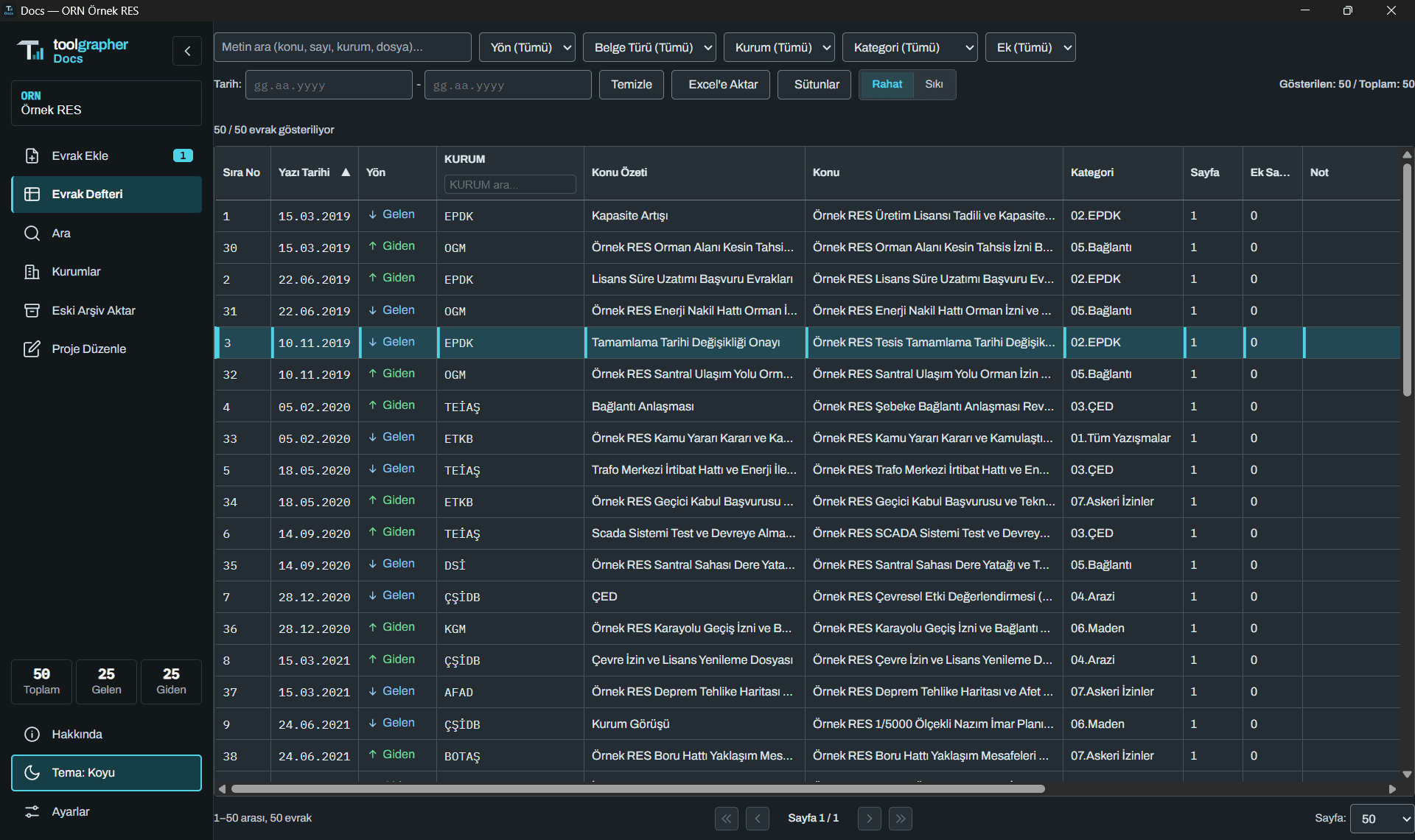
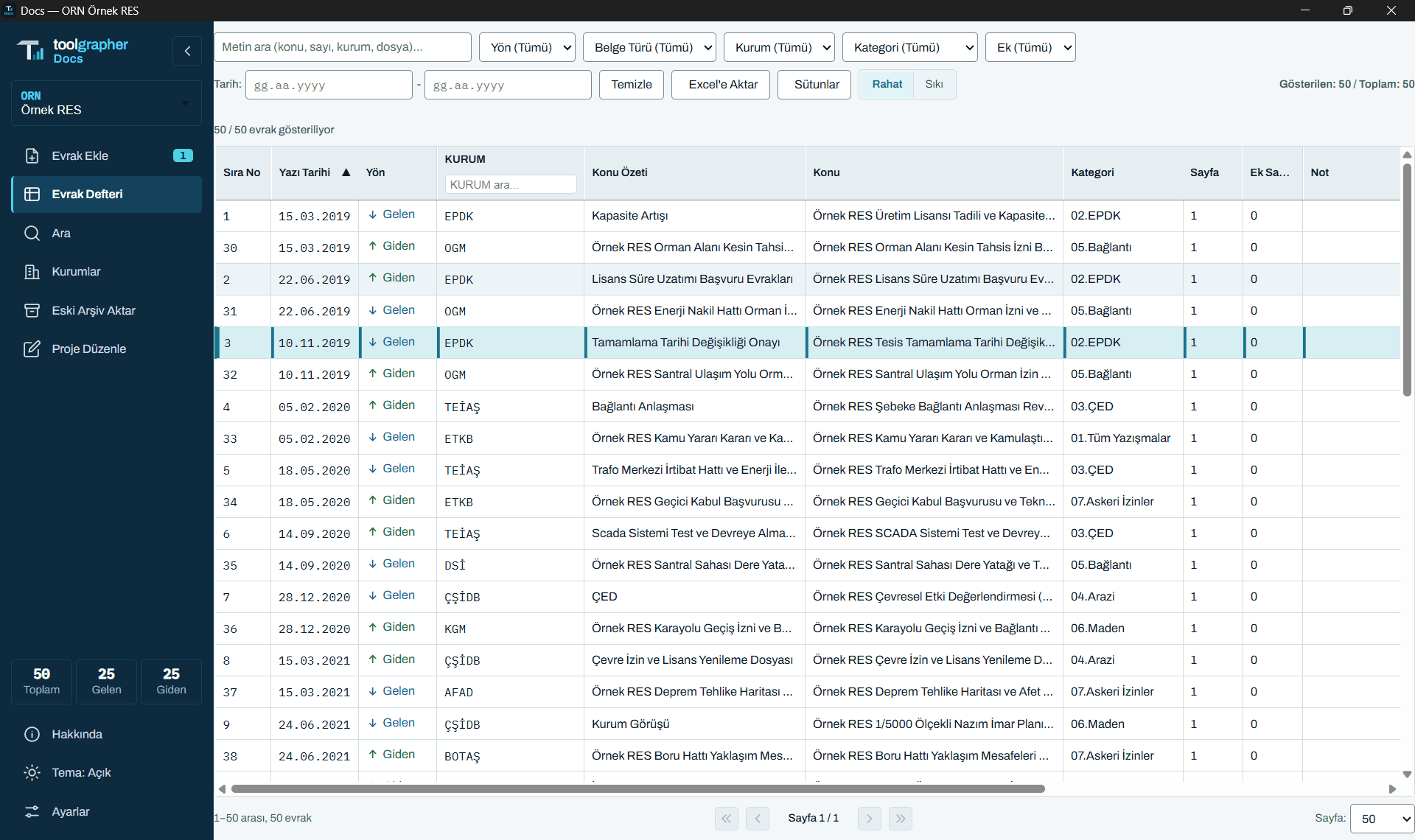
The same letter appears under the same name for everyone. The file-name notation is set per project; with the register, its filters and Excel export, every letter lives in one place.
Finds fast
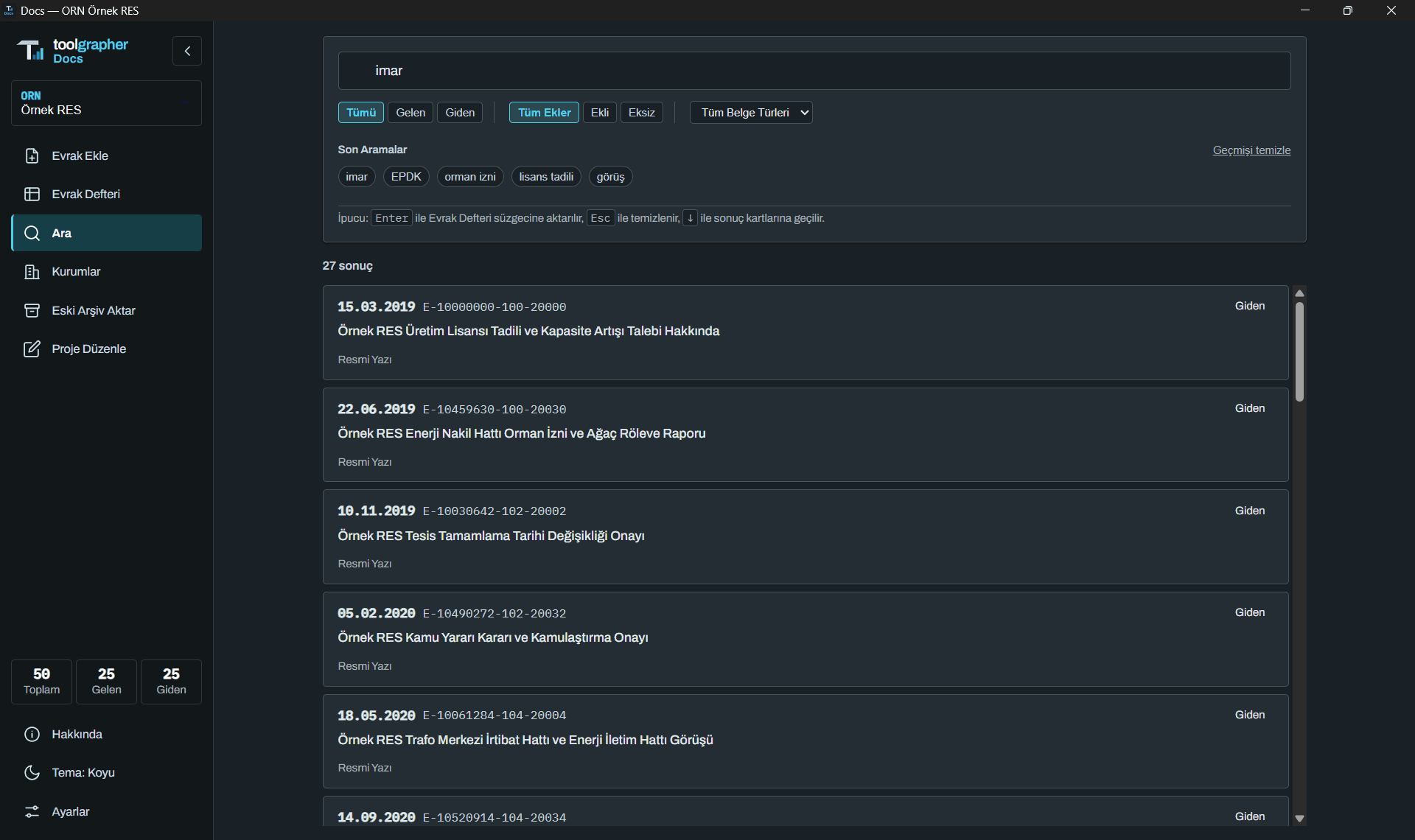
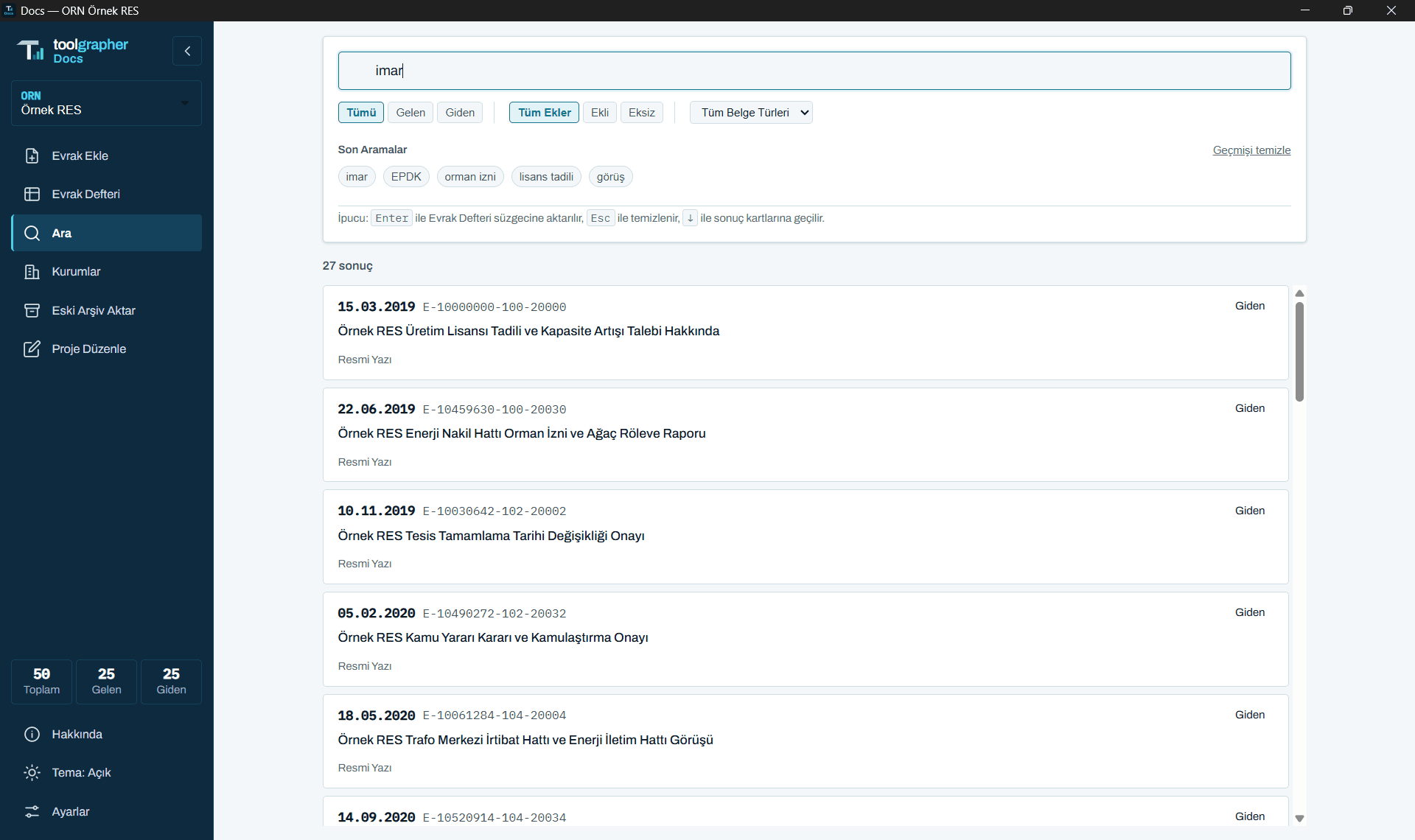
The Search screen counts and lists all results; Turkish upper/lower-case differences are respected; one click selects, a second opens.
Authorities come ready, you manage them
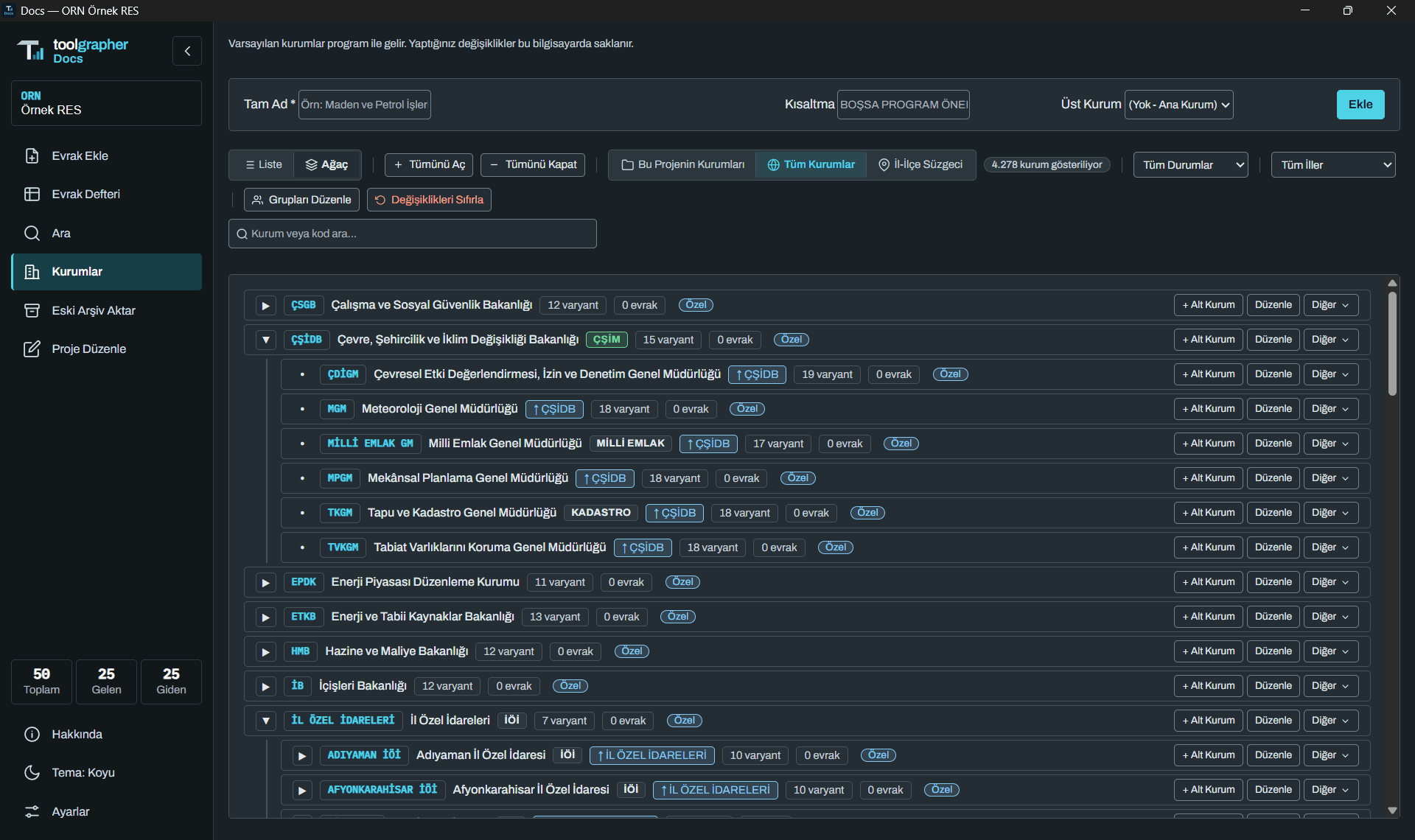
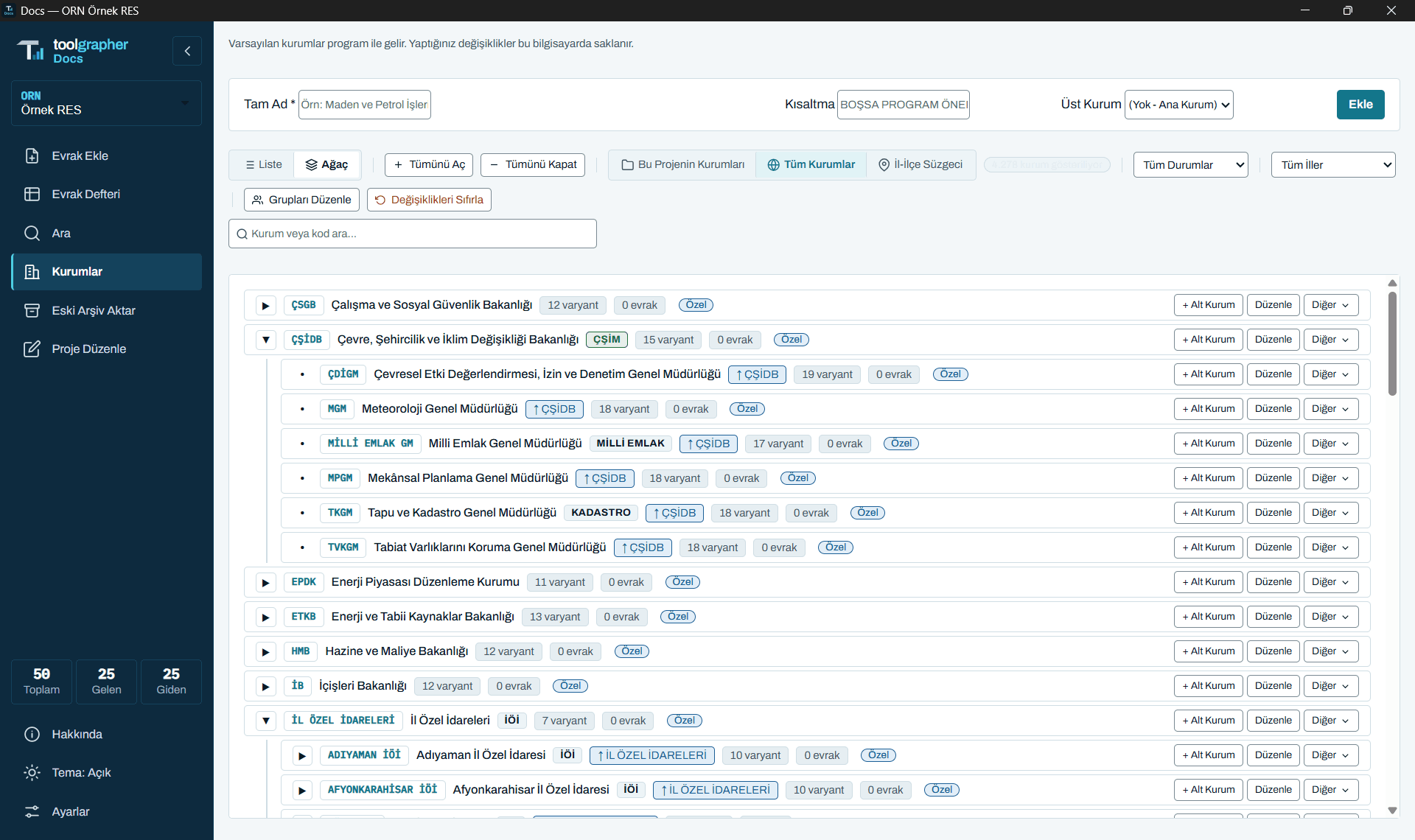
The program ships with a ready list of common public authorities; you add your own, edit their names and abbreviations, and merge different spellings of the same authority. The authority list is shared across the projects on the computer: editing an authority in one project updates the others. The "This Project's Authorities" view shows only those used in the project, the "All Authorities" view shows the whole list.
Manages several projects together
Each project has its own folder, its own category tree, authority dictionary and document register. You switch between projects from one program, and the list of registered projects lets you follow them all.
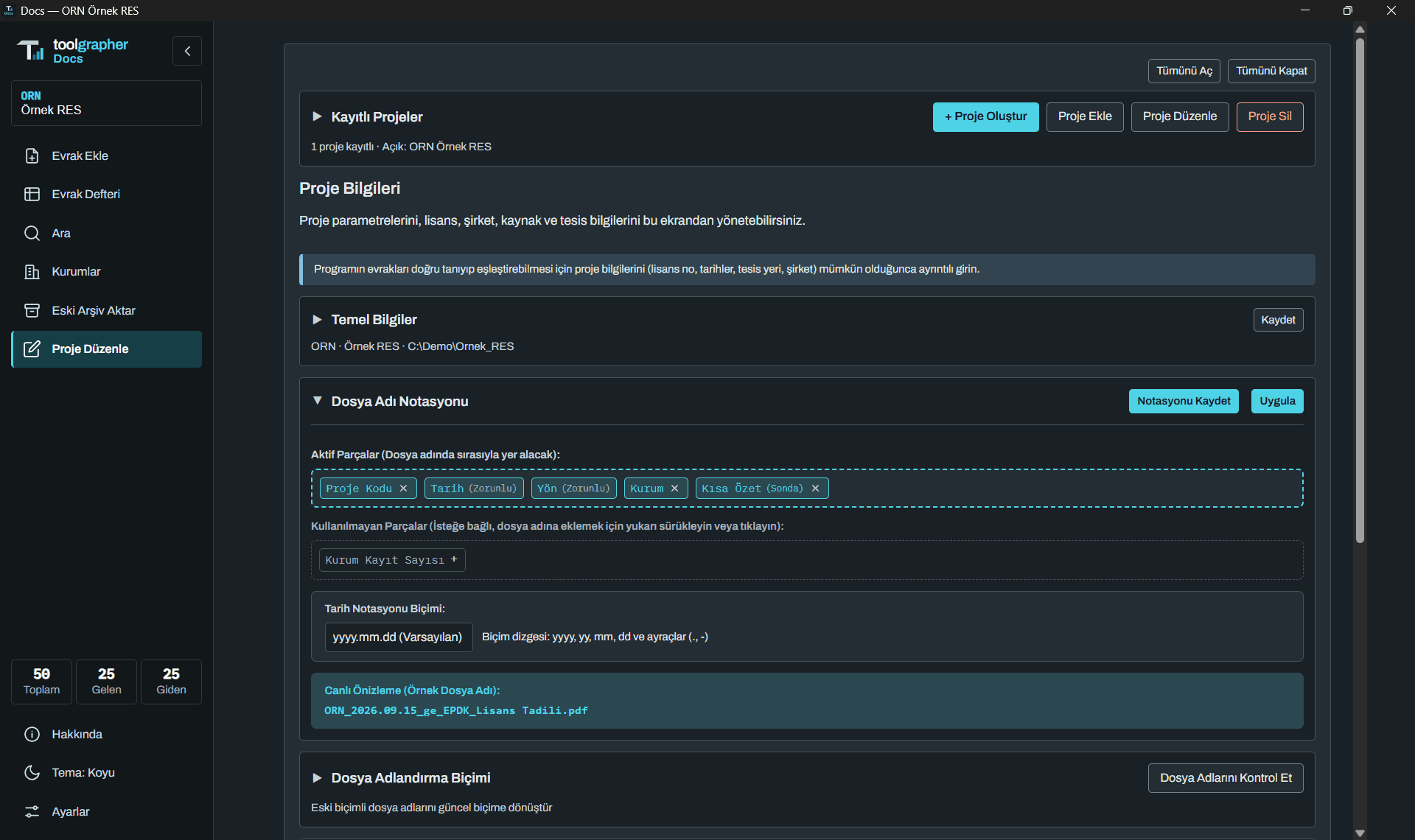
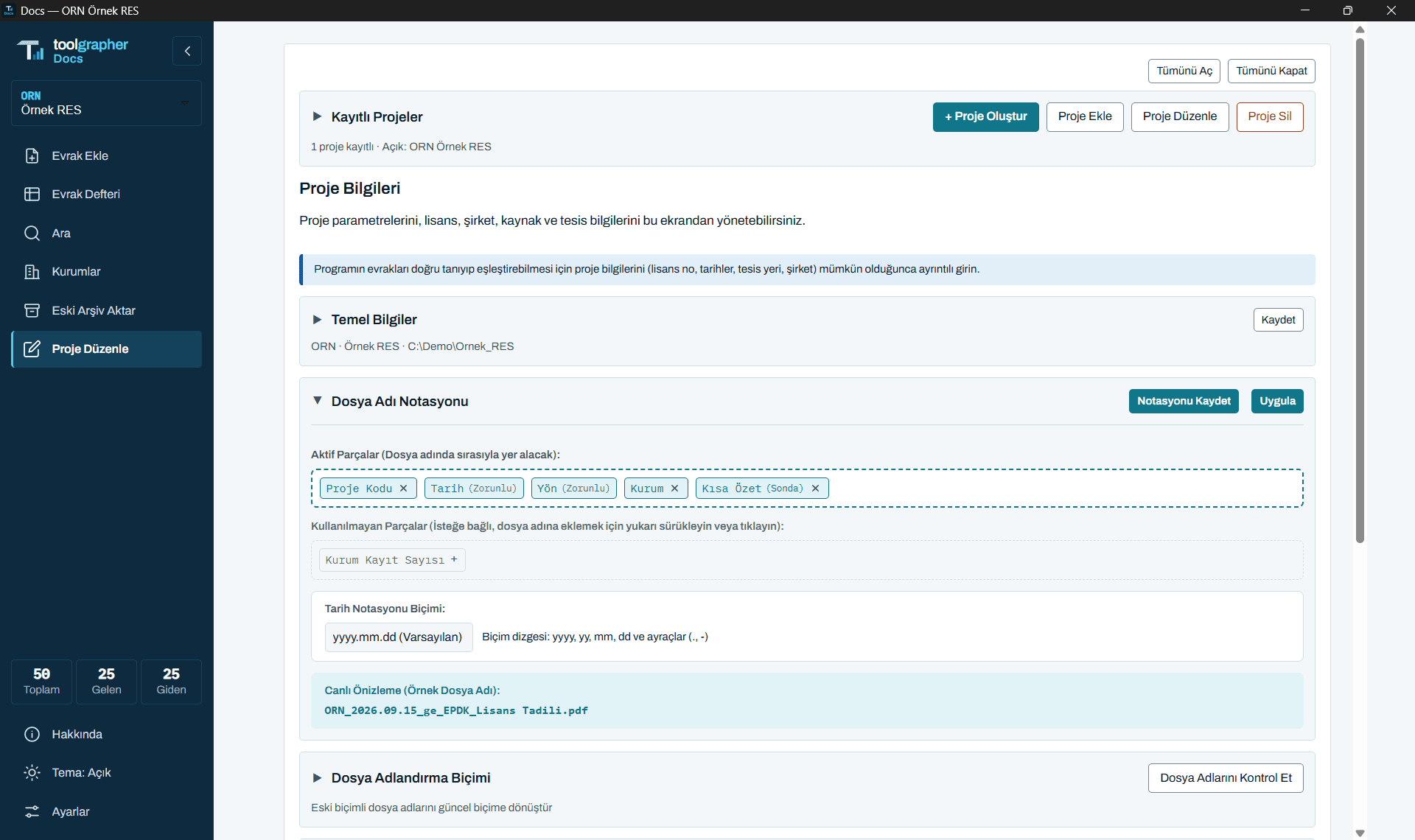
Three themes
Light, dark, and an automatic theme that follows Windows; text stays at a readable contrast. Row density and the notification time can also be set.
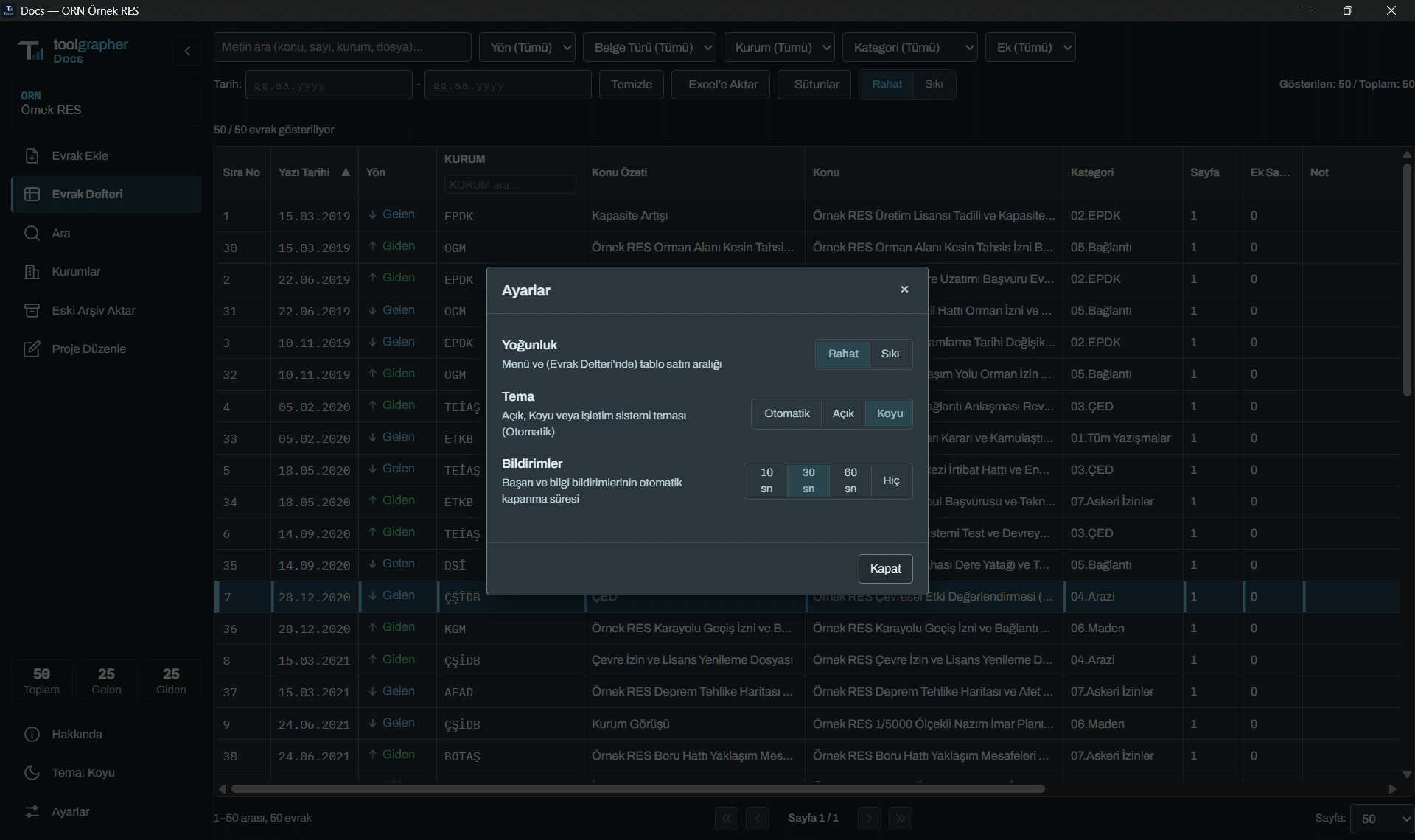
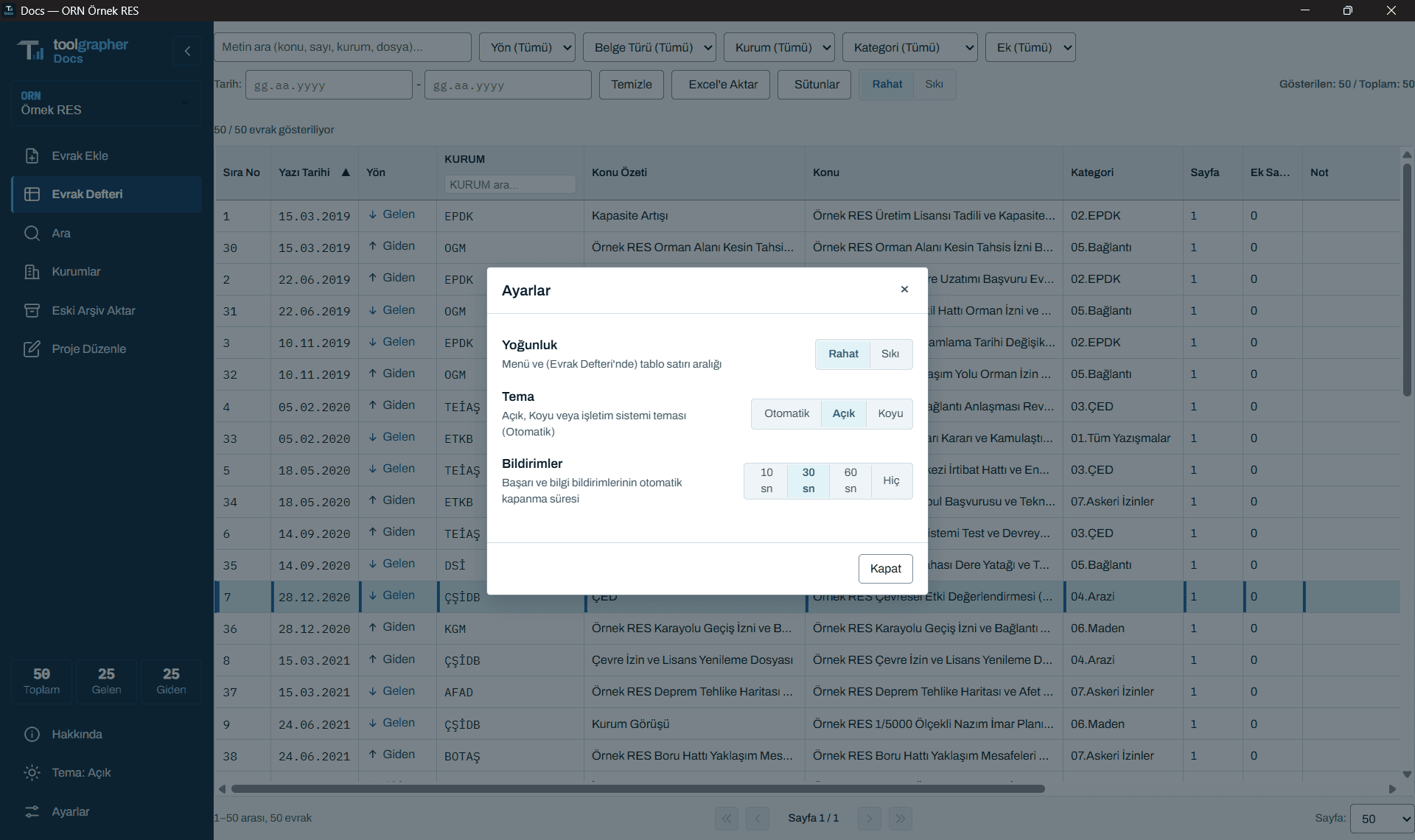
Local and private
The database (SQLite) and files stay in the project folder; correspondence is never sent to a cloud. Reading is done locally; there is no dependency on an external AI service.
Knows Turkish
Authority names, abbreviations and Turkish characters (İ/ı, Ş, Ğ…) are handled correctly in search and naming. With the per-project authority dictionary, authorities such as ETKB, TEİAŞ and EPDK settle into a single form.
Imports the old archive
Existing piles of folders are imported with a preview; what will happen is shown first, then applied. (Under development.)
Reversible, never deletes
Database backups are kept; critical operations run with a preview and confirmation.
Order survives project revisions
Project details such as licence number, company title, site location and resource type are kept with their history.
A human and AI agents.
Me
Sets the goal, priorities and acceptance; tests by hand with real scenarios.
Claude
Prepares analysis and architecture proposals, runs Antigravity, and reviews what comes out.
Interface and visual design.
 Coder
CoderAntigravity
Writes the software and carries out requests; works in parallel with sub-agents.
- Test Engineer
Writes the tests.
- Bug Hunter
Looks for bugs.
- Evidence Auditor
Checks the evidence against the real screen.
- Git Keeper
Records the work.
What's next?
- Improving the methodology for importing old archives.
- Measuring reading accuracy for more document types and authorities (with real correspondence).
- Recognising document types other than official letters.
- Accessibility and full keyboard support.
- Multi-user use and corporate sharing.
What doesn't it do yet?
- Reading accuracy depends on the quality of the document; uncertain fields are asked of the user.
- The first version has no external AI support; this is a deliberate privacy choice, designed so that it can be added later.
- Measurement and improvement with real sample correspondence is ongoing.
Docs is being developed by Tolga Aslanbaş together with Claude and Antigravity.